
Problem
How do we enable the feature to see the near duplicate documents?
Resolution
Log into VOD and open a case. On the left hand side you will see an icon called "Quick Links" with three horizontal lines. When you click on this option, you shall see the option to "Compute Near Duplicate"
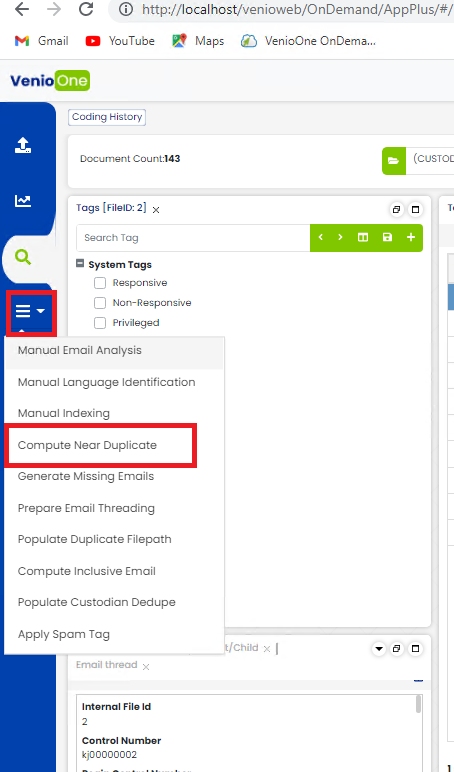
Alternatively,
Step 1:
Compute near duplicates. This can be done under Quicklinks>>Compute Near duplicates.
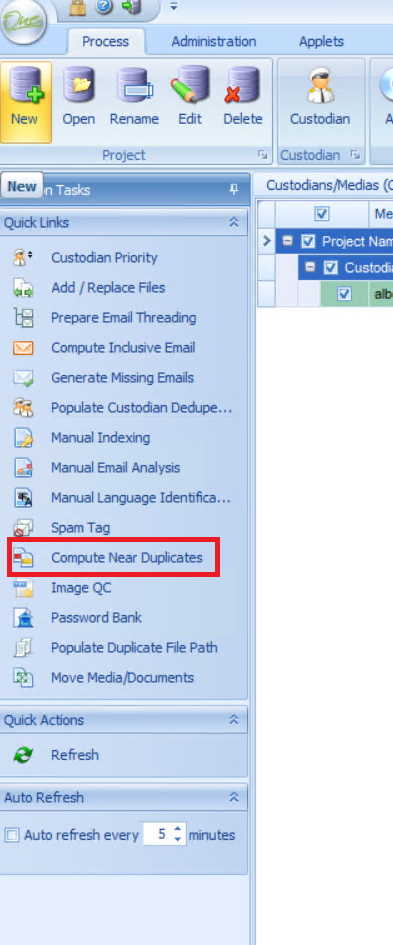
Step 2:
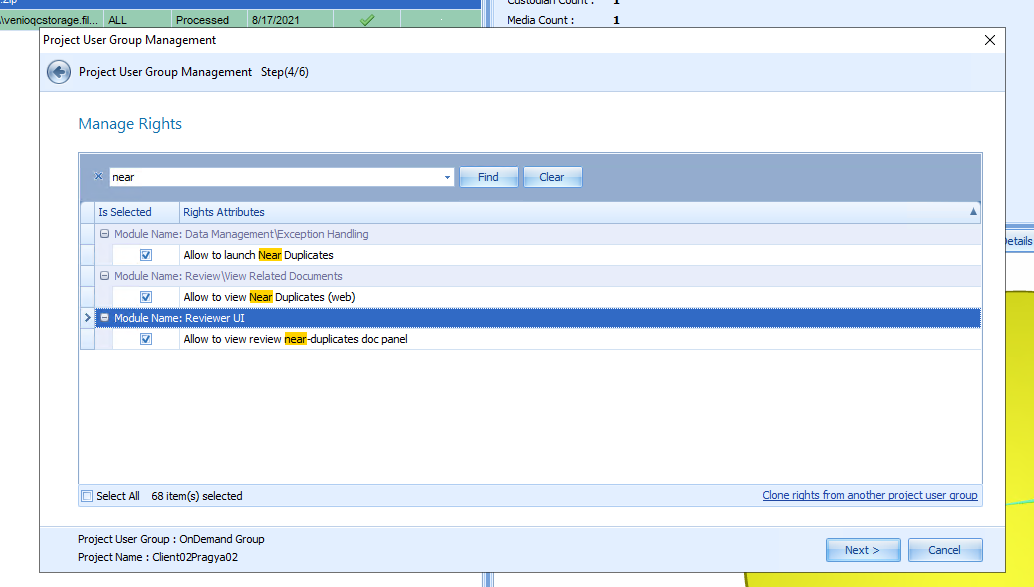
Ensure that the user group has the right to see the similar documents. This right is enabled from
- Administration tab
- Project User group
- Edit Project User Group
- Select the project and the user group
- Ensure that the 'Allow to review Near Duplicates' and 'Allow to review near duplicates doc-panel' is checked.
Step 3:
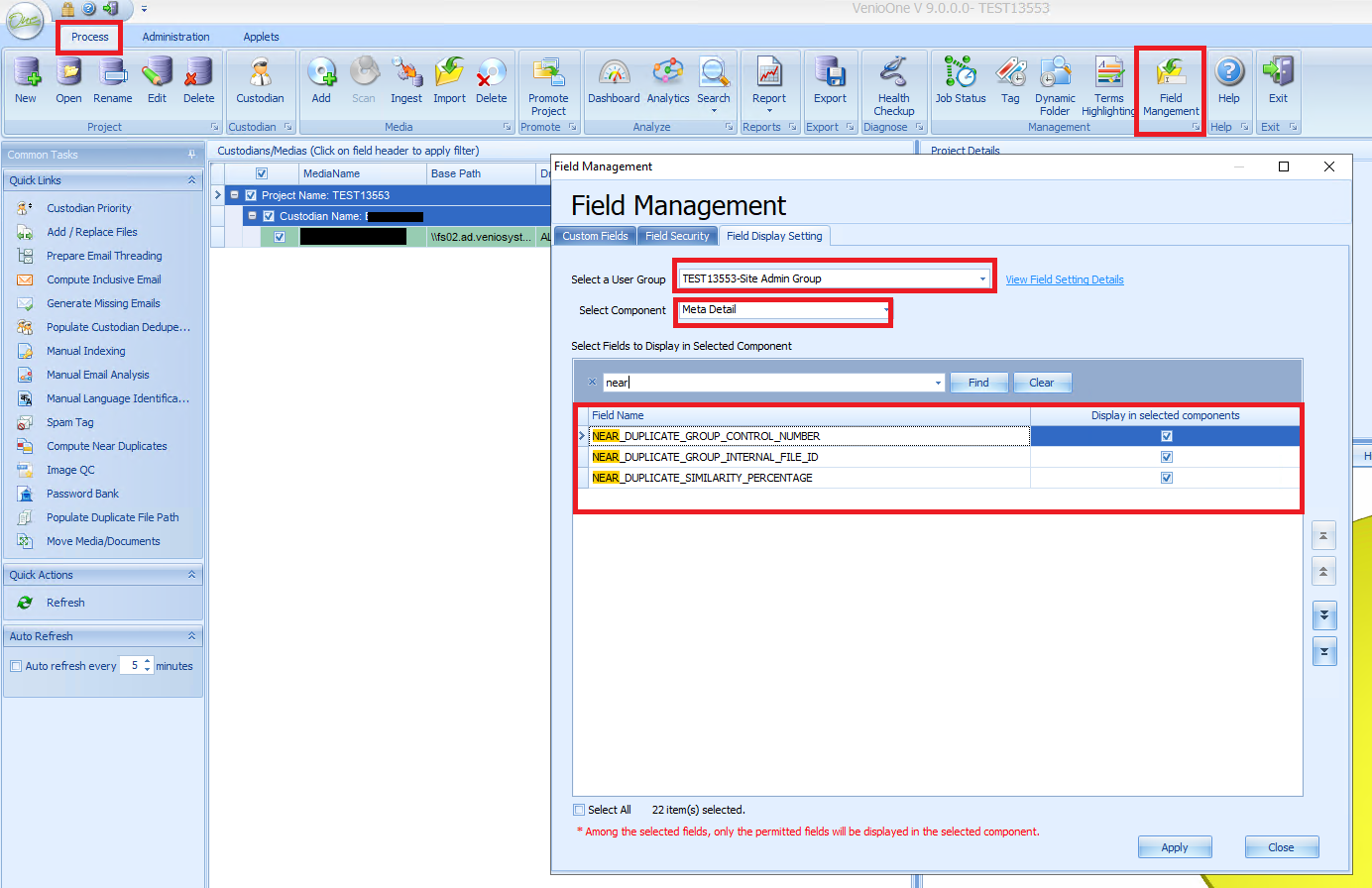
Under field management>>Field Display Setting>>Select Component: MetaDetail
Ensure that the Near_Duplicate fields are checked.
Step 4:
After configuring these settings you will be able to see the similar document panel in the review page of Venio OnDemand.
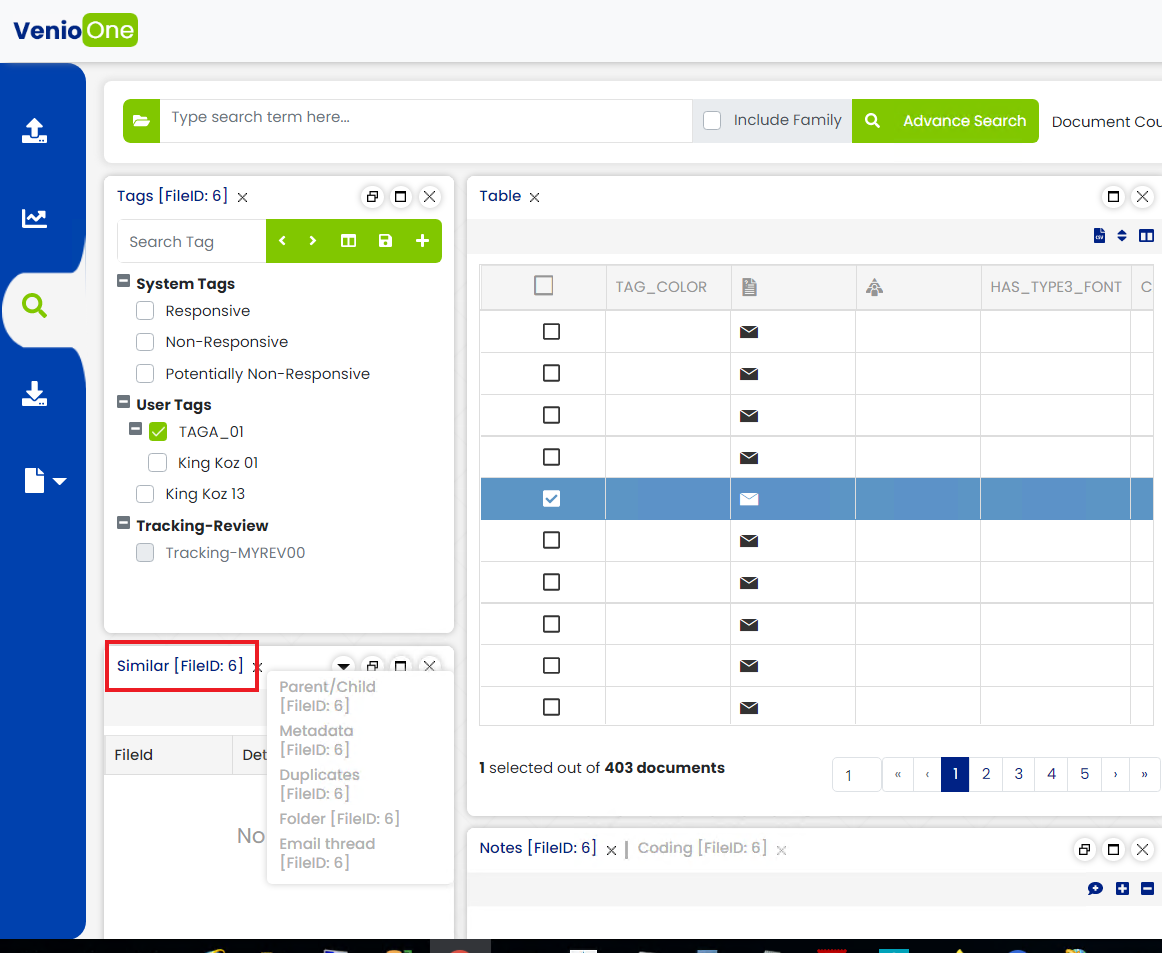
Note: You might have to restart the IIS and clear the cache to reflect the changes made.
Comments
0 comments
Please sign in to leave a comment.