
Database Server (SQL) Configuration Recommended workflow
- Create SQL User Account
- Log into SQL Management Studio provided username and password.
Example Username: veniosql and Password: veniosql.
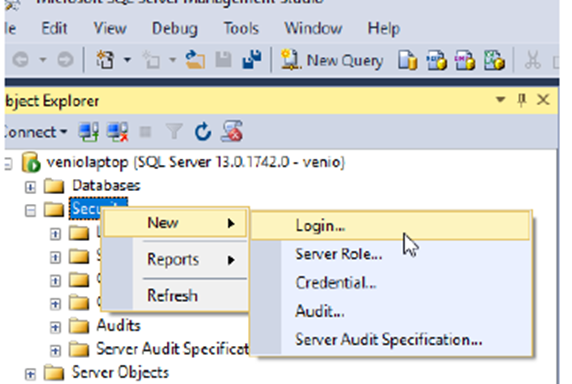
- Right-click on Security and go to New > Login.
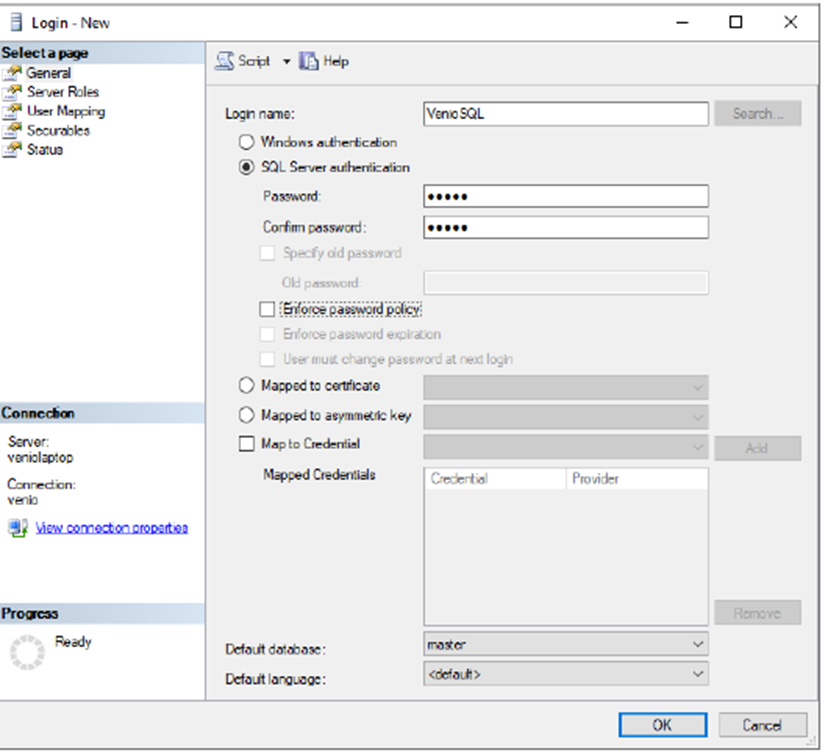
- Enter venio1sql as the Login name.
- Select SQL Server authentication.
- Enter venio1sql in the Password and Confirm Password fields.
- Select the Server Roles page
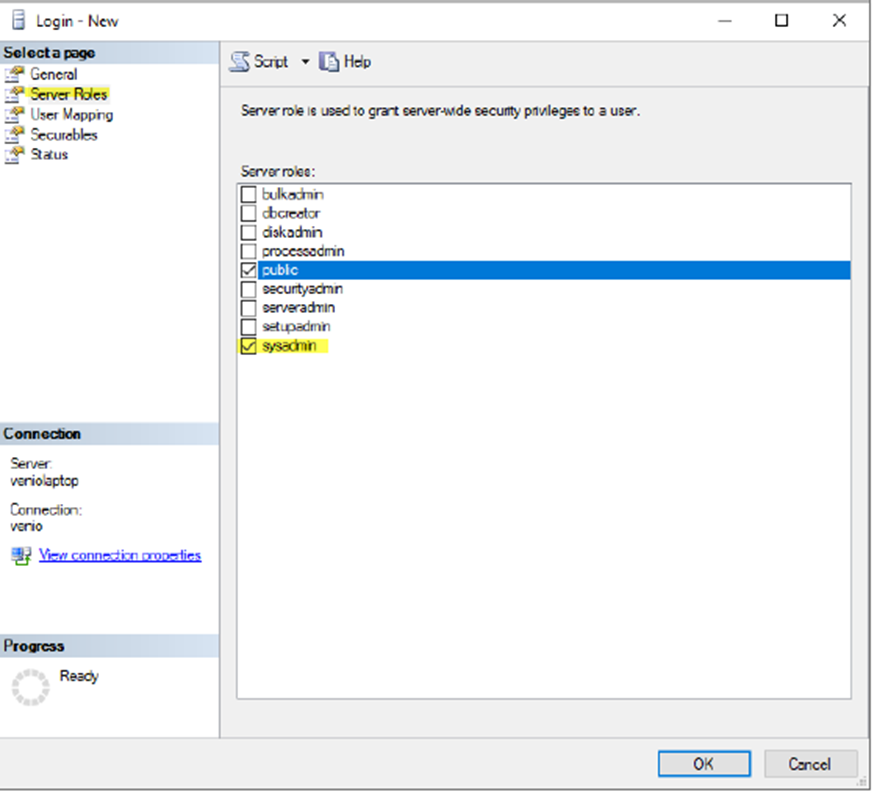
- Check sysadmin roles and click OK.
Configure MDF and LDF Data Location
- Right-click on SQL Server and select Properties.
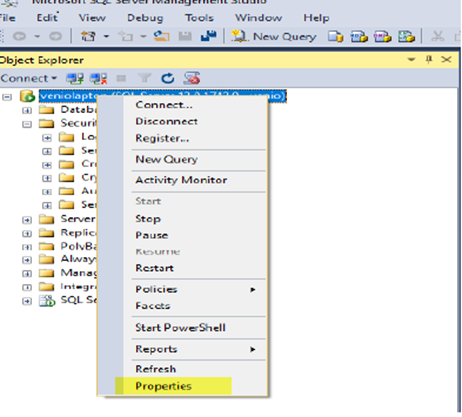
- Select the database settings page.
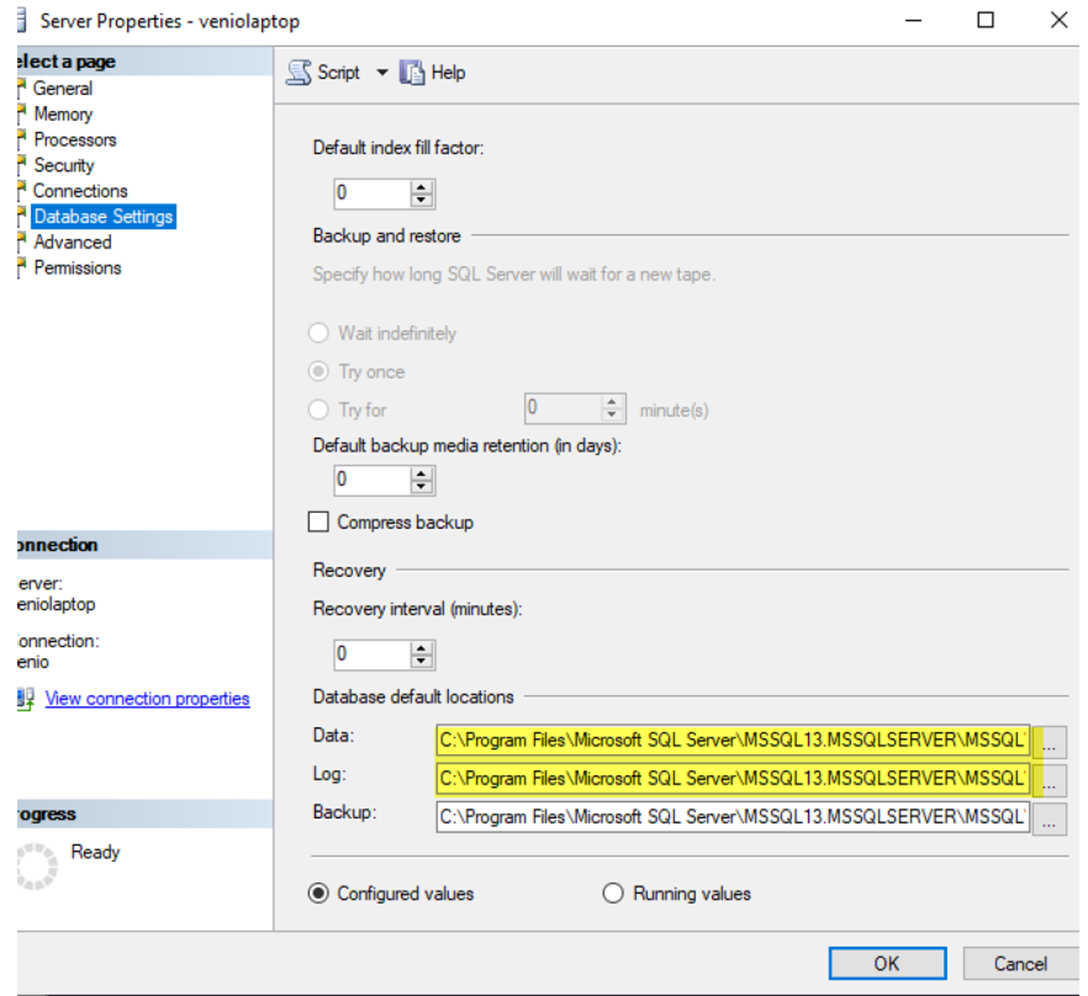
Set the Data, Log and Backup location and hit OK.
Comments
0 comments
Please sign in to leave a comment.