
Problem
How can we set a new user's password rather than pushing an automated email to the user?
Resolution
Steps to be followed:
1. In Venio console application navigate to
Administration>>Users>>Select the user>>User Details(step 3) >>Set the password. Hit Next assign the Projects>> Finish. 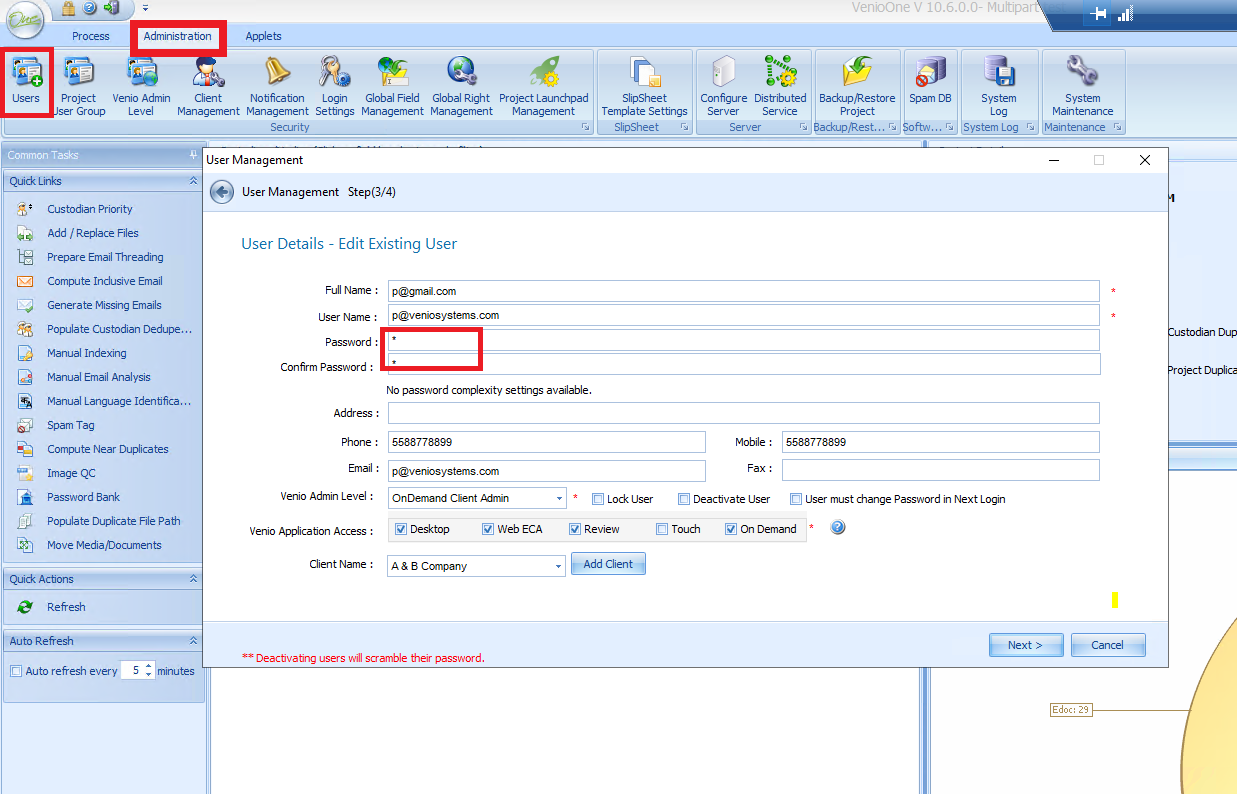
2. After you provide the password you set for that user. The user can log in to VOD with this password. Once the user logs into VOD, he/she has the ability to change the password.
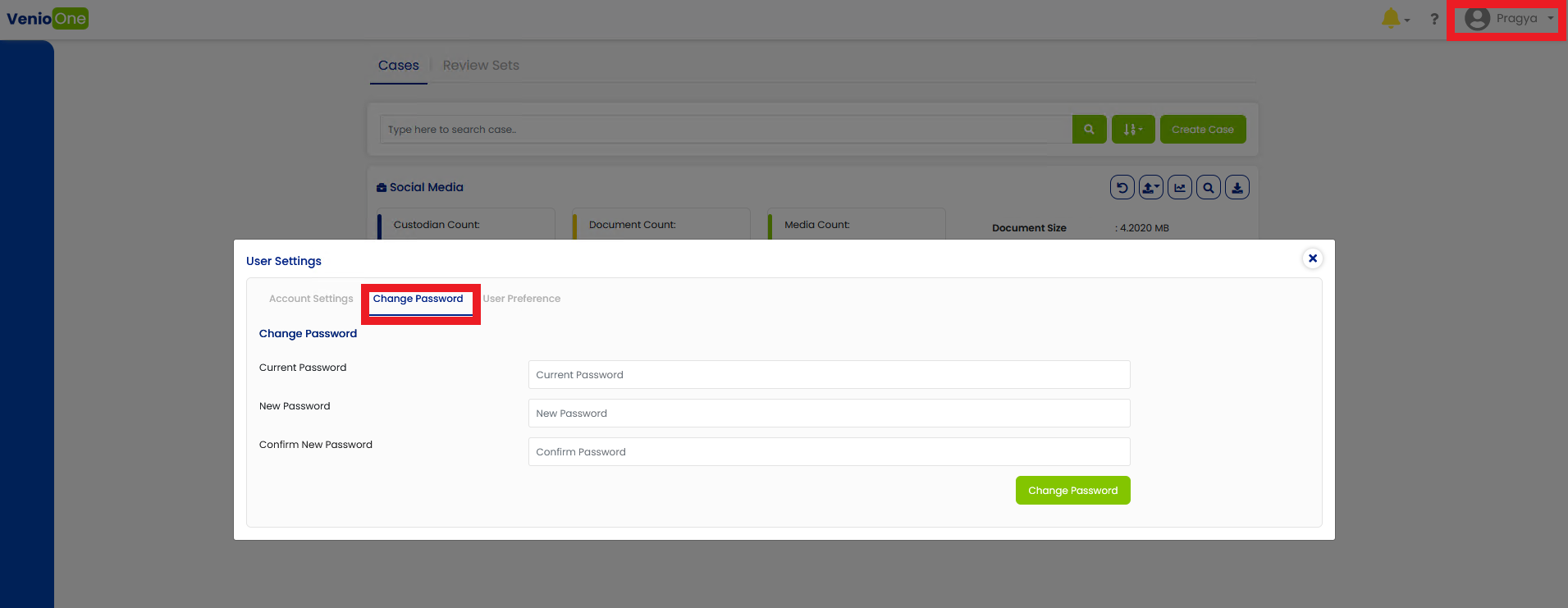
Click on the user name on the top right corner>>User Settings>> Change Password.
Comments
0 comments
Please sign in to leave a comment.