
Problem:
The Ingestion/Tiff/OCR jobs are running for hours. It seems like the job is stuck. How do we check if the instances are running or not. Is there any way we skip some files which seems to be corrupted/bad.
Resolution:
Scenario 1:
Identifying if the instances are running or not and re-picking the job:
1. Navigate to project job status UI and select the Ingestion tab.
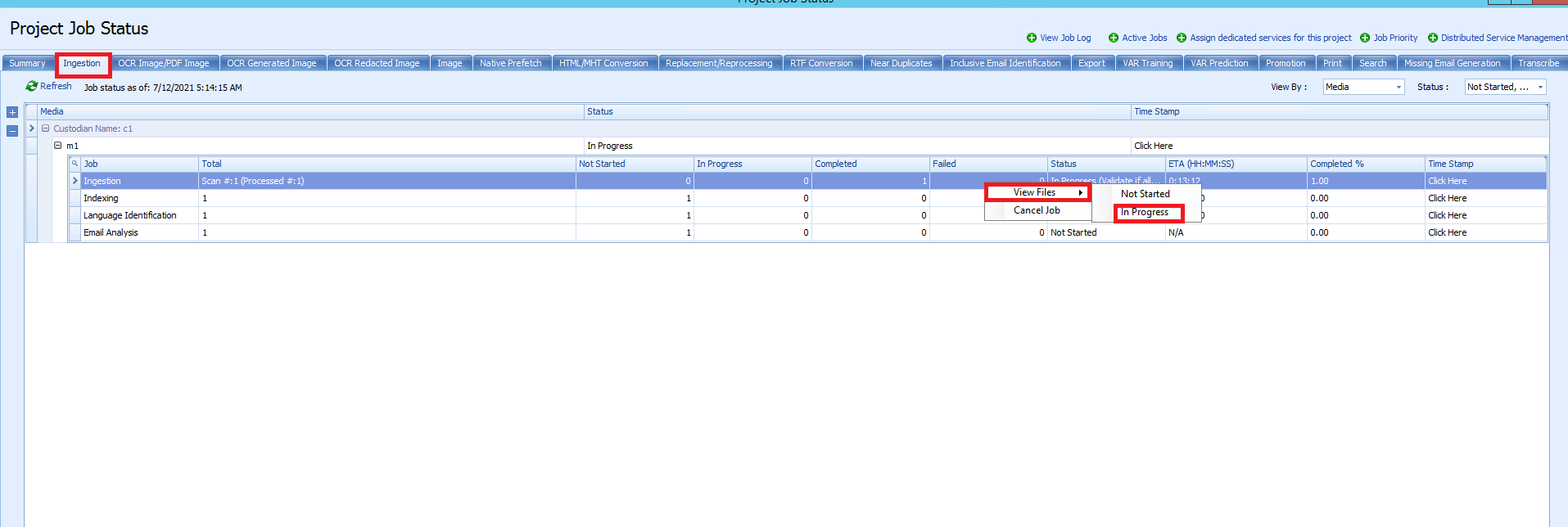
2. Right Click on the ingestion job and select view files on progress.
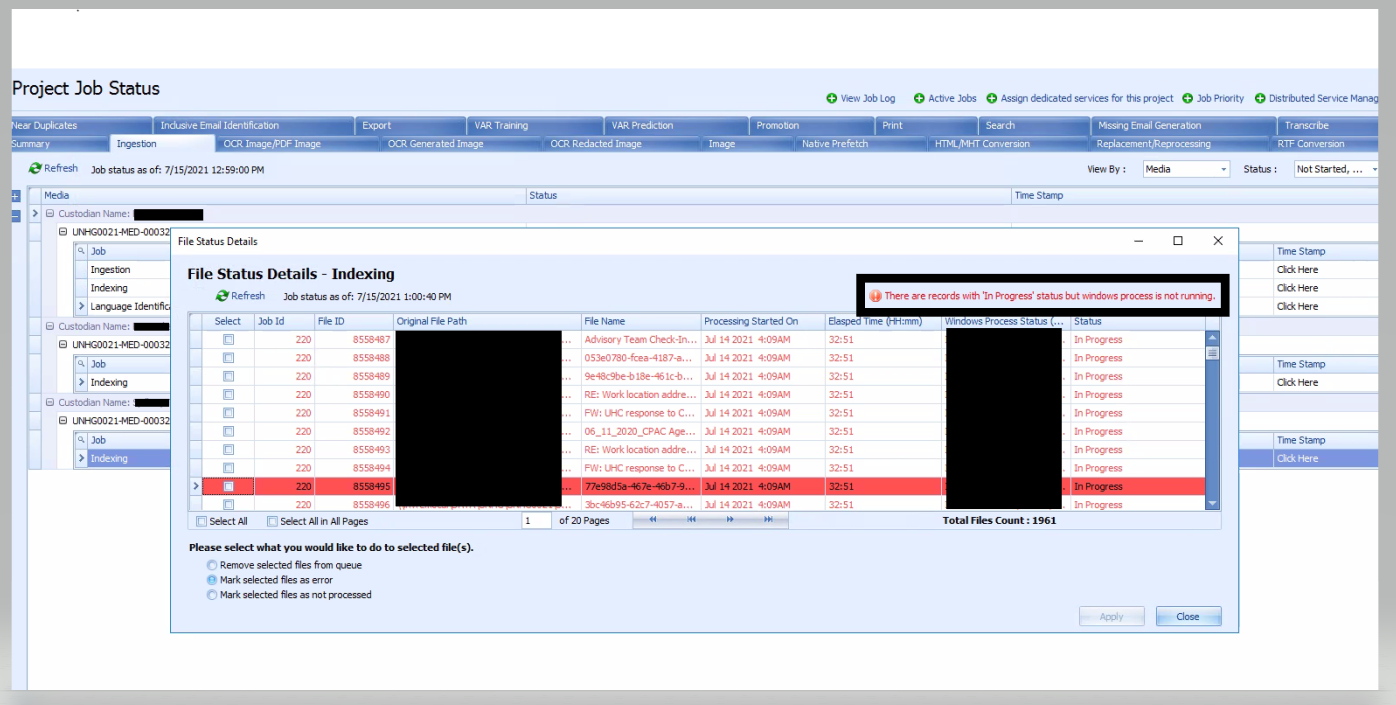
3. Then the files on progress will be shown. On the top right corner there will be a message in red saying "there are records with 'in progress' but the windows process is not running.
4. Click on the message and there will be a message box that will ask you to re-pick the job. Hit 'yes' and the job will be re-picked.
Scenario 2:
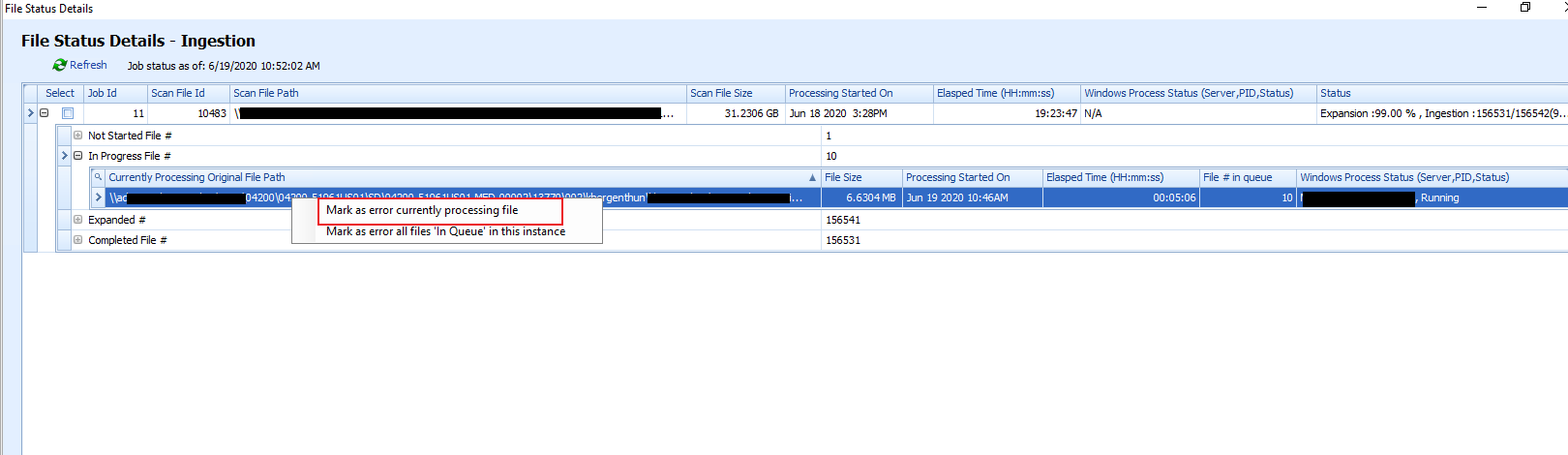
We can always see the list of files that are in progress. We can individually select those files and mark as error from the project job status UI.
Navigate to
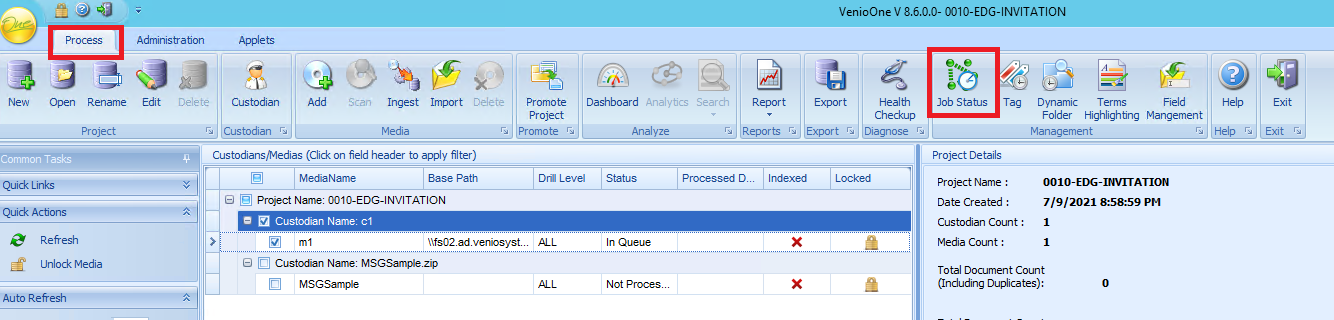
1. Process>>Job Status>>
2. Go to ingestion tab>>Right click on Ingestion>>View Files>>In progress
3. Select the files you want to mark as error and then hit apply.
Comments
0 comments
Please sign in to leave a comment.