
Problem
We have number of entity fields which we do not want to see. How can we exclude them from the search table?
Resolution
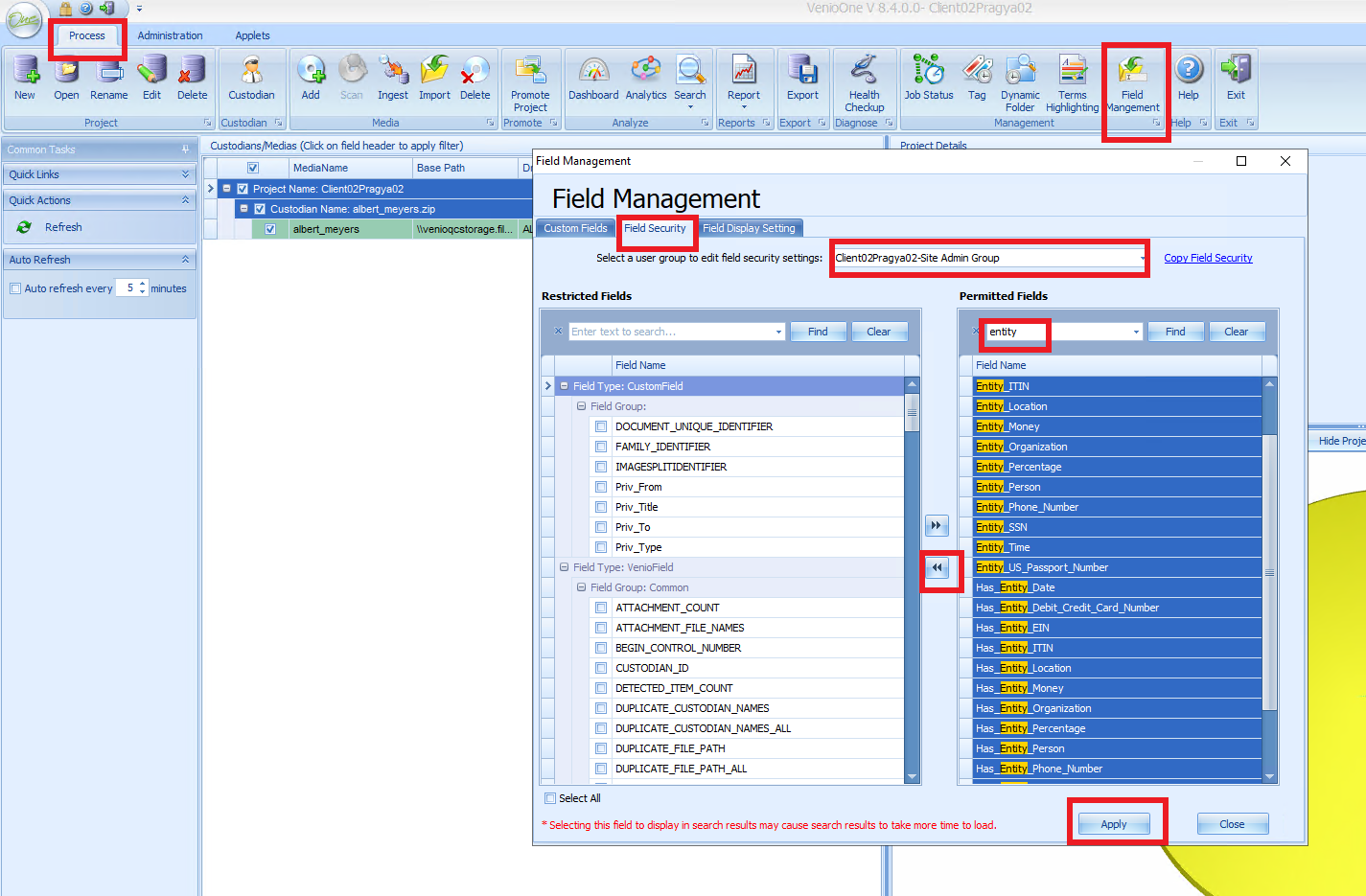
In Venio Console, under the "Process" tab, please navigate to Field Management then
1. Click on the field security tab
2. Select the user group for the project.
3. Do a find(Ctrl+F) in the permitted fields and type entity
4. Select all of them
5. Click on the arrow that will put under the restricted field
6. Hit Apply.
Note: We have to selected the user groups one by one. i.e., we cannot select all the user groups at once.
Comments
0 comments
Please sign in to leave a comment.