
Problem
We have project setting where image file type setting conversion is set to native engines. But there are times when tiffing fails on number of files.
Resolution
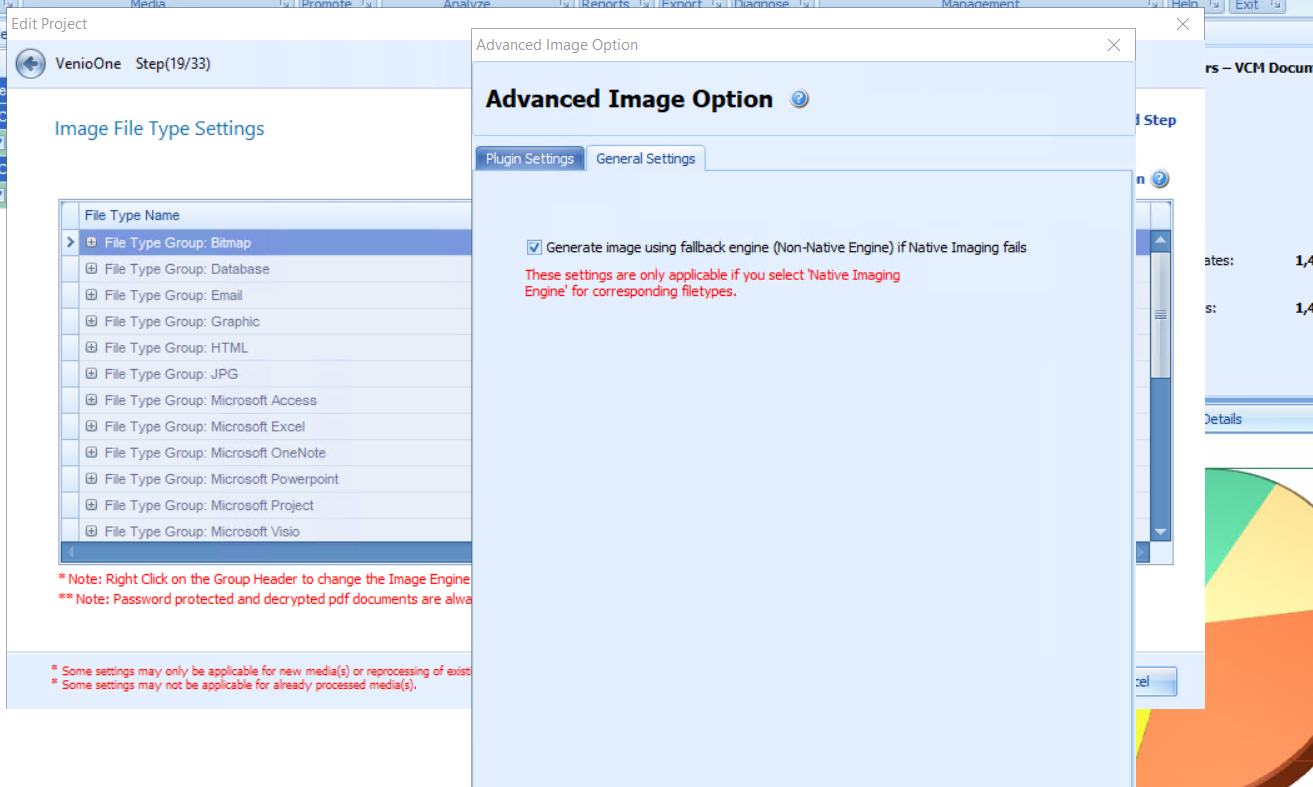
We can always have a setting that when, a tiff fails using native engine, we can set to try re-tiffing using the non-native imaging engine. This setting is found under edit project settings step 19.
Go to Image File Type Settings >>Advanced Settings
Click on General Settings tab and check the check box for 'Generate image using fallback engine (non-native engine) if native Imaging Fails.
Please do not forget to save your updated project setting at the end after making the changes.
Comments
0 comments
Please sign in to leave a comment.