
Problem
Sometimes we run to an issue where the ingestion is stuck on a file due to several reasons like the file may be corrupted or timing out or creating a lot of NOFILENAME.TXT files.
Resolution
In such scenario we would want to mark the file as error.
Navigate to
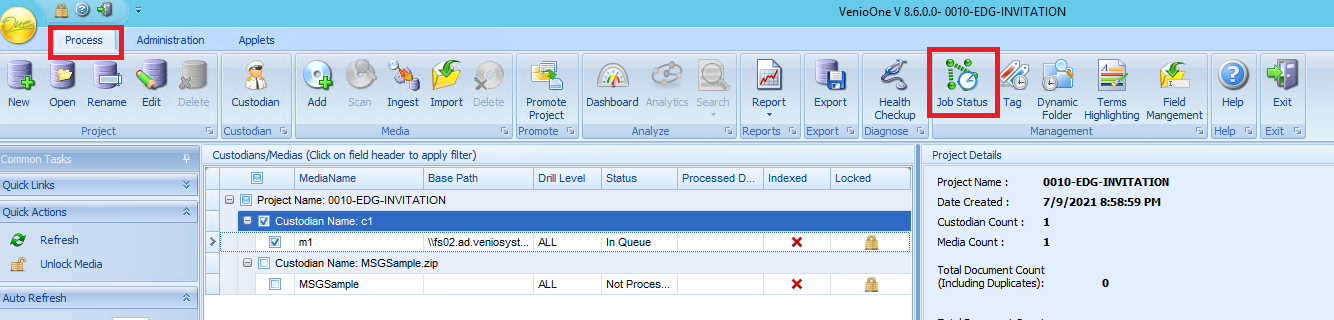
1. Process>>Job Status>>
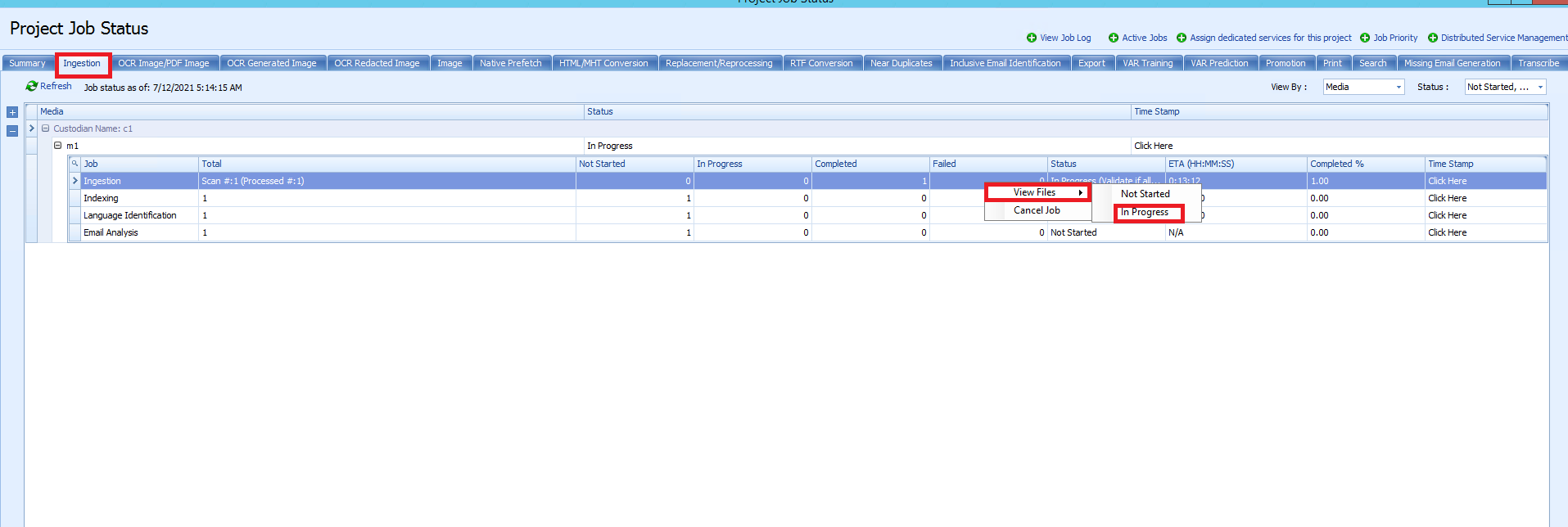
2. Go to ingestion tab>>Right click on Ingestion>>View Files>>In progress
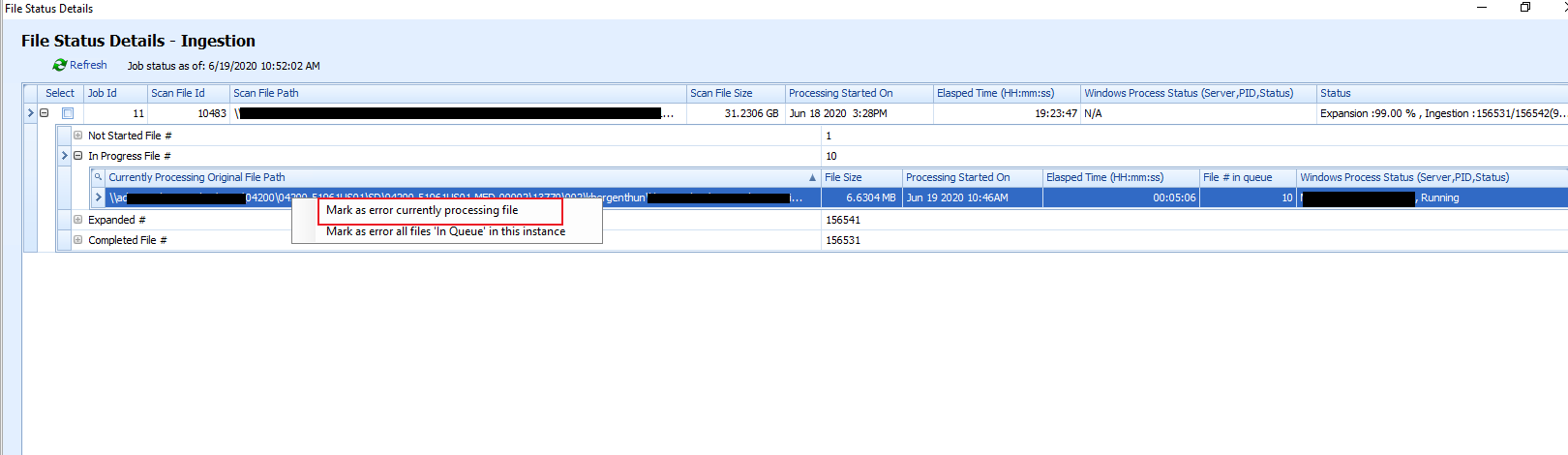
3. Select the files you want to mark as error.
Comments
0 comments
Please sign in to leave a comment.