
Problem
Where do I go to make a change for tracking tags? I have a legal team doing a review and one person messed up and wants to reset the batch and tags.
Resolution
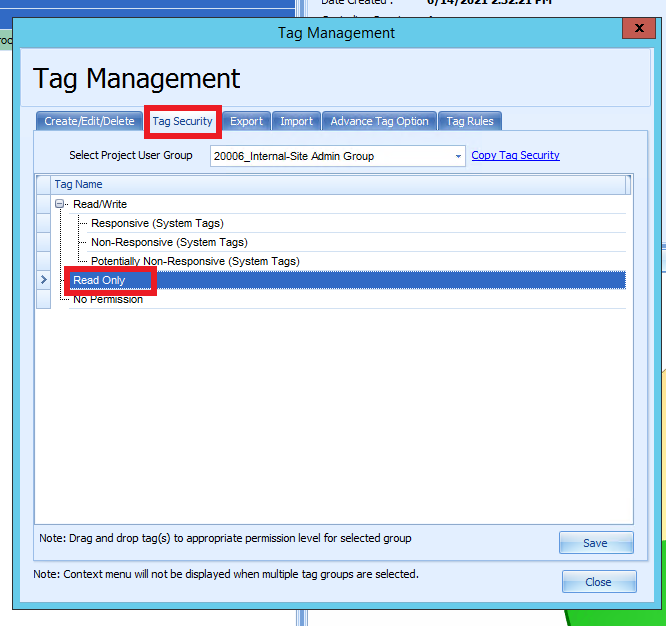
When in review each user receives a tracking tag. When that is created it will be placed under ReadOnly under Tag security. To be able to remove this from a tagged item you will need to go into Tag security and locate the Tag tracker and move it from ReadOnly to Read/Write and save the change. Now run a search and locate the Tag Tracker and right-click and select untag > find the tag and select it and select ok. After that is done you have removed the tracker tag and the document will be placed back into the queue within the batch.
Comments
0 comments
Please sign in to leave a comment.