
Problem
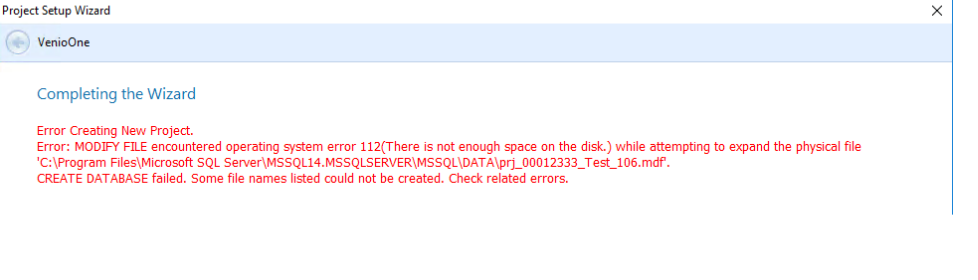
I cannot add a project. The message that comes up during project creation reads:
"Error Creating New Project.
Error: MODIFY FILE encountered operating system error 112(There is not enough space on the disk.) while attempting to expand the physical file 'C:\Program Files\Microsoft SQL Server\MSSQL14.MSSQLSERVER\<SSQL\DATA\prj_projectname.mdf".
CREATE DATABASE failed. SOme file names listed could not be created. Check related errors"
Resolution
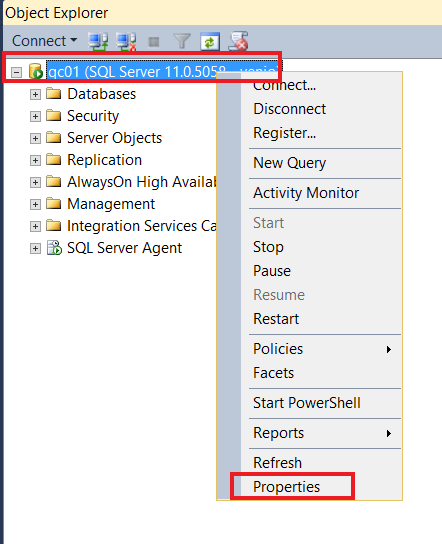
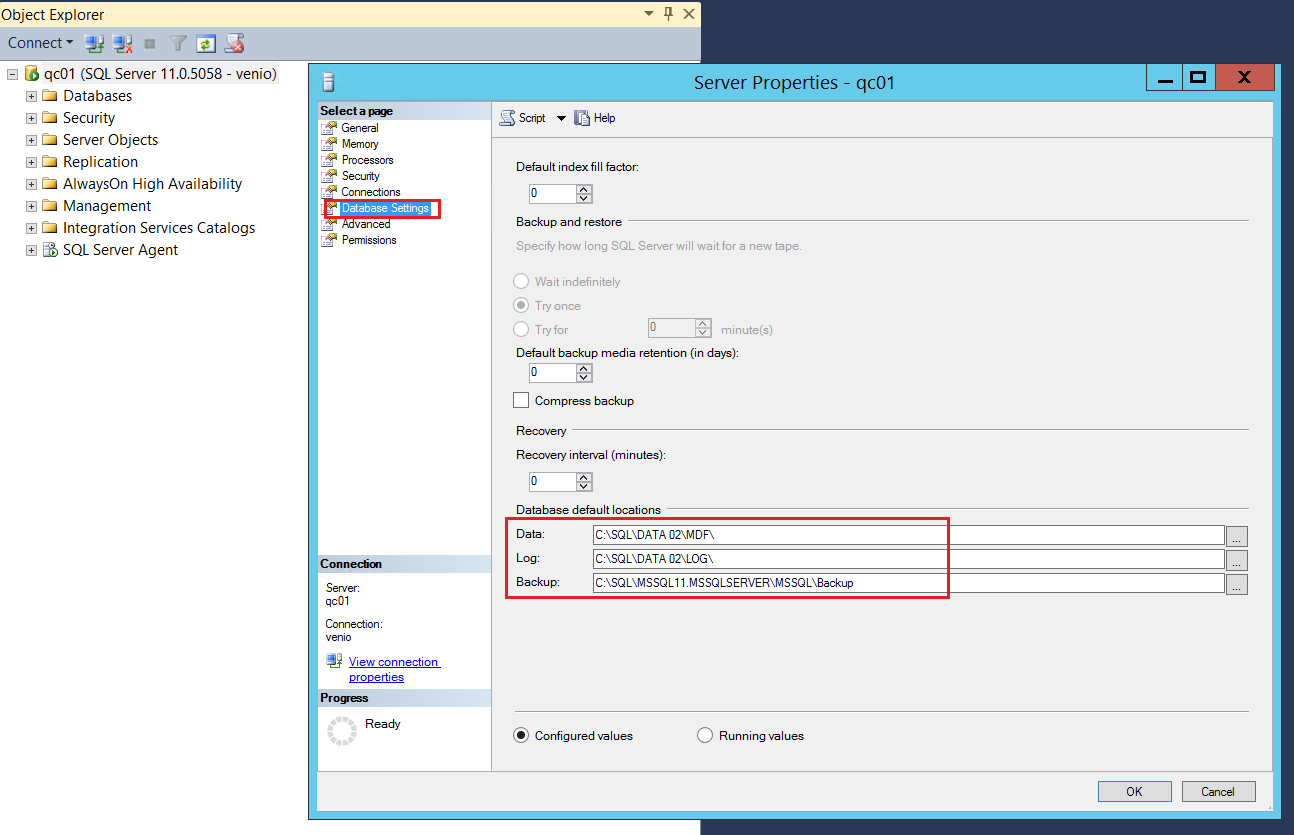
This error occurs when the SQL server is out of space. In order to find out where the mdfs and ldfs resides go to the SSMS, right click on the server properties.
Note: The same error also occurs when the model database properties is modified.
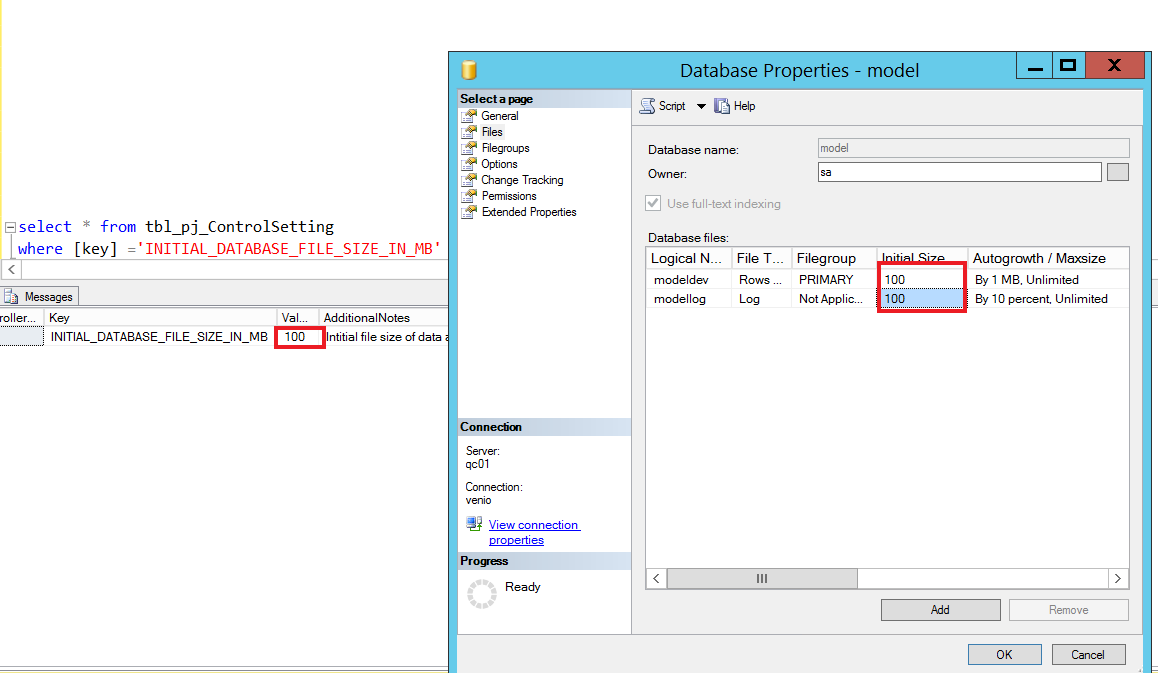
The control setting value of key 'INITIAL_DATABASE_FILE_SIZE_IN_MB' should match the file properties of model database.
In order to see the value if 'INITIAL_DATABASE_FILE_SIZE_IN_MB', run the following query in your Venio PCD.
select * from tbl_pj_ControlSetting
where [key] ='INITIAL_DATABASE_FILE_SIZE_IN_MB'
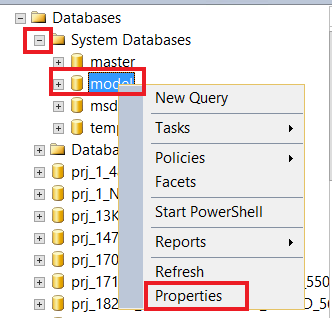
In order to see the properties of model database, expand the system database, right click on model and select properties.
Comments
0 comments
Please sign in to leave a comment.