
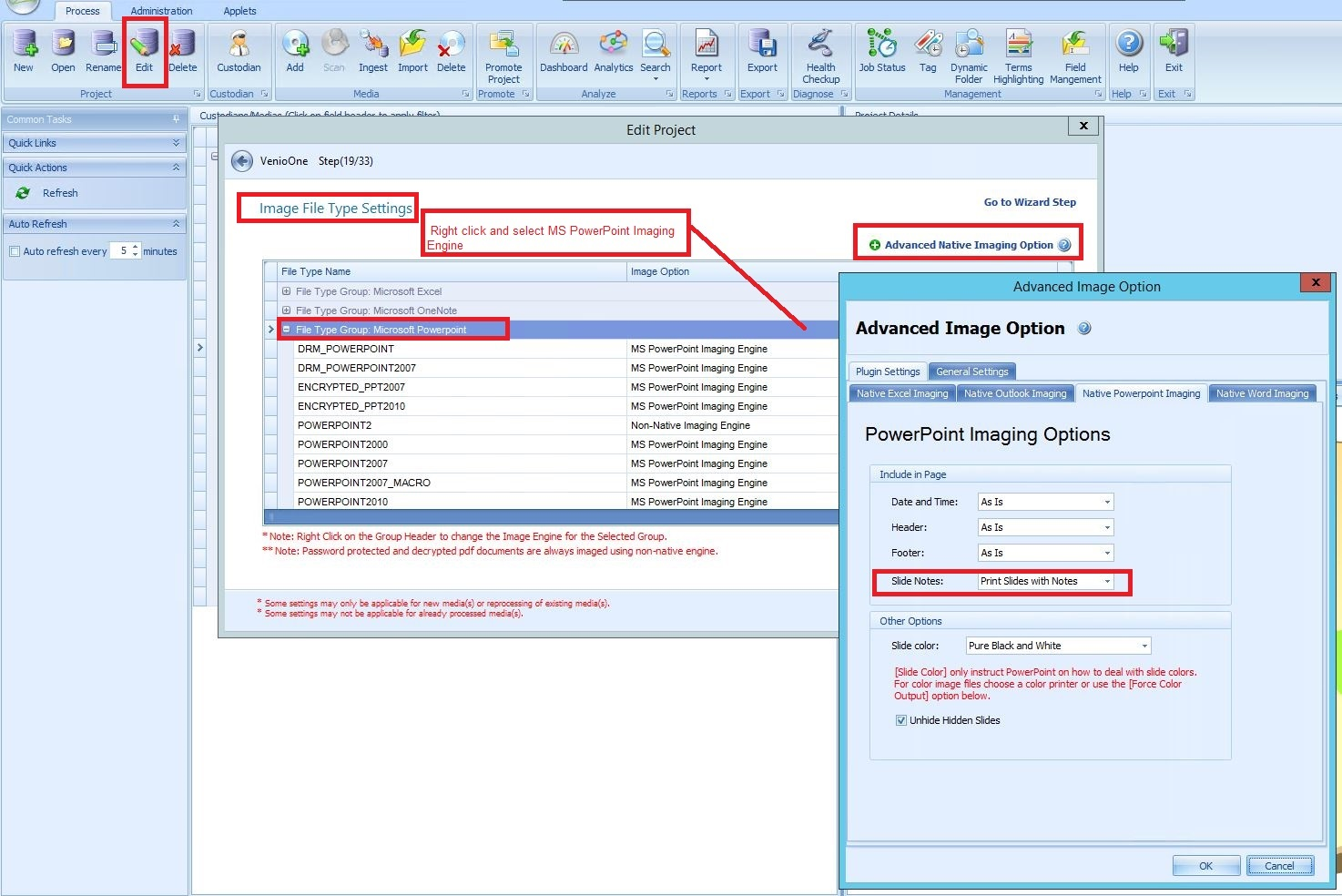
Follow the steps under Edit Project Setting:
1. Go to Project - Edit
2. Skip to Step 19/33 'Image File Type Settings'
3. Under File Type Group: Microsoft Powerpoint, right-click then select MS PowerPoint Imaging Engine
4. On Advanced Engine Imaging Option, click the Slide Notes dropdown and select 'Print Slides with Notes'
Comments
0 comments
Please sign in to leave a comment.